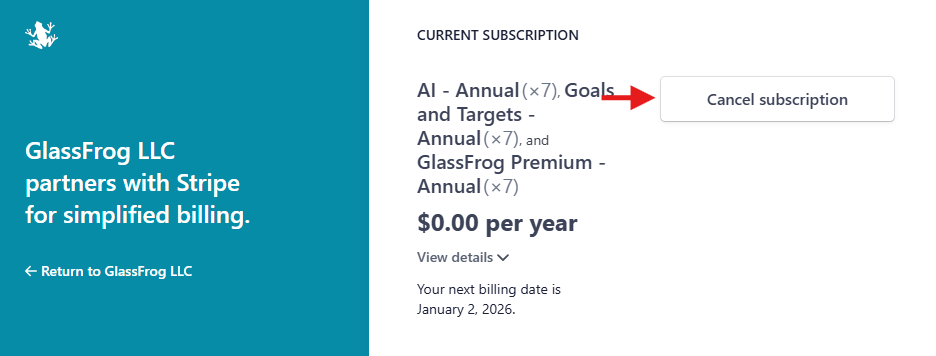
GlassFrog Admins may view or change billing information, access past or current invoices, and cancel subscriptions from the Stripe Customer Portal. To access the Stripe Customer Portal, click "Billing & Plans" in the Admin section of the left-hand sidebar, and then click "Launch Stripe Customer Portal."
How do I update my credit card and billing information?
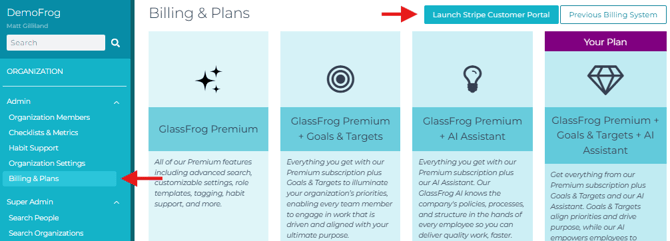
Once in the Stripe Customer Portal, scroll down to the Payment Method and Billing Information section, where you'll see the current payment method and billing information on file. To add a new payment method, click "Add payment method." To add or change your billing emails, address, or other information, click "Update information."
How do I view past invoices or receipts?
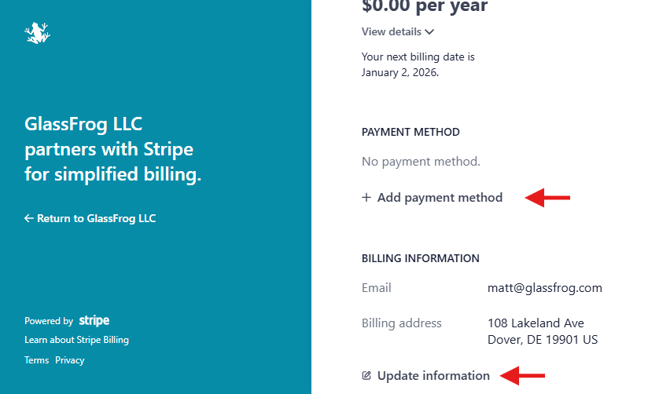
To view past or current invoices in the Stripe Customer Portal, scroll down to the Invoice History section (at the bottom of the right-hand column), and click any invoice to view it. Unpaid invoices or failed payments can be paid from payment links on the invoice page.
How do I cancel my GlassFrog subscription?
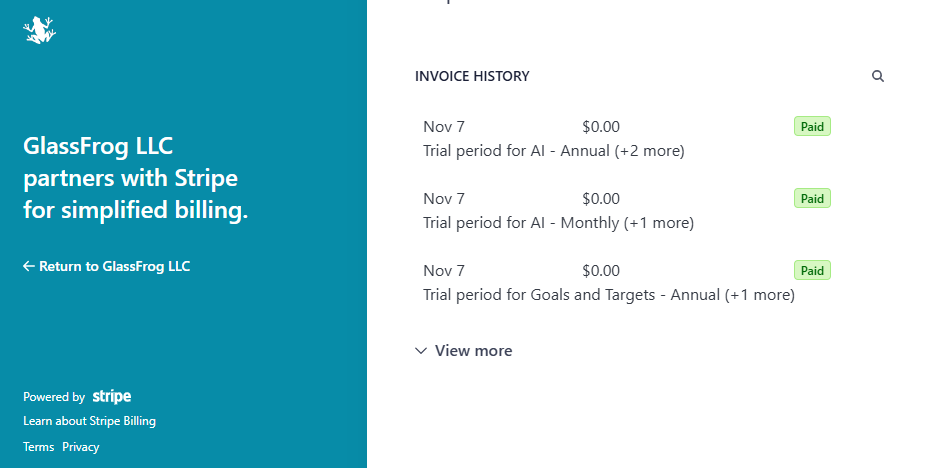
To cancel your GlassFrog Premium subscription from the Stripe Customer Portal, at the top of the right-hand column, click "Cancel Subscription," and then confirm the cancellation on the following screen.