
When you create a new project or update an existing one from your Workspace page, or by selecting the Projects tab on one of your Circle pages, GlassFrog allows you to associate that project with one of the accountabilities from the roles you are filling.
To do this, once a Circle and Role are selected for the project, click the 'Accountability' dropdown list, and pick the accountability your role is exercising by taking this project, as seen here:
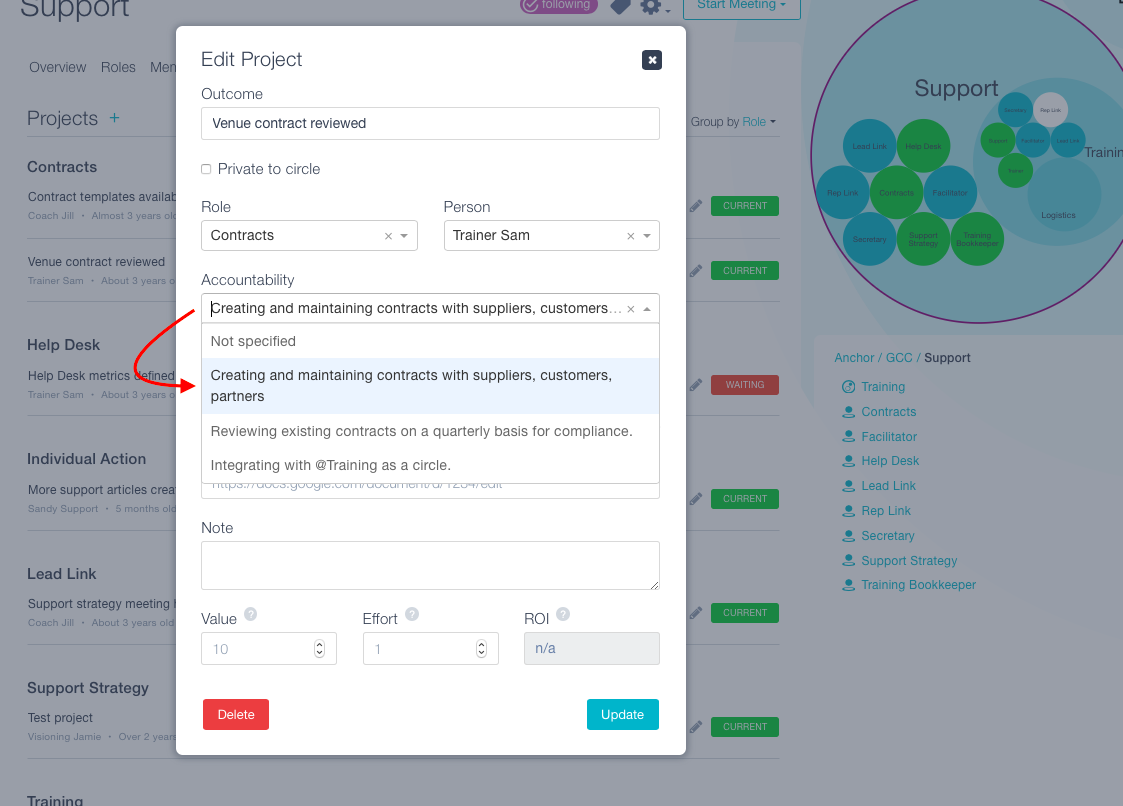
Note: A project taken under Individual Action/Individual Initiative will not have any accountabilities associated with it since the project is happening outside of a role.