
v5 API
Each user has individual v5 API keys. Those can be created in GlassFrog by going to your "Profile & Settings" and selecting the "API" tab. Then click on the button "Create new v5 API key".
These keys are only shown once, when created. For security purposes, they will never be shown again. However, you can create a new key at any time.
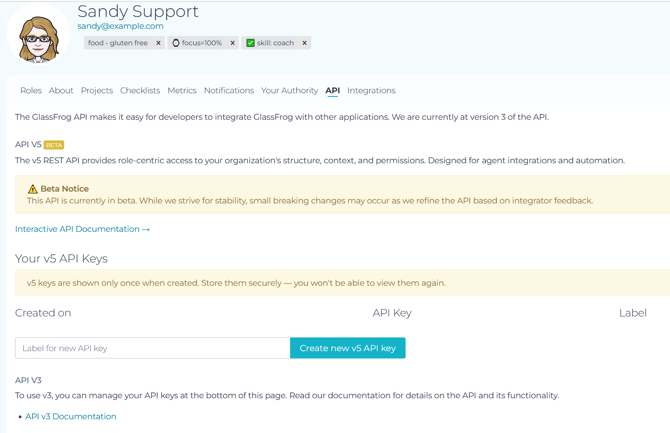
Since v5 API is still in beta, you can also create v3 API keys if you'd prefer to use that.
API instructions are linked both on your API keys page and also here in our Knowledge Base: GlassFrog API Overview.